How Our AI Lead Qualifying System Connects HubSpot, Slack, and Calendly
A behind-the-scenes look at how we built an AI-powered lead qualification chatbot that seamlessly integrates with HubSpot CRM, Slack notifications, and Calendly scheduling for real-time sales enablement.
Paul Eident
Founder, Aslan Interactive
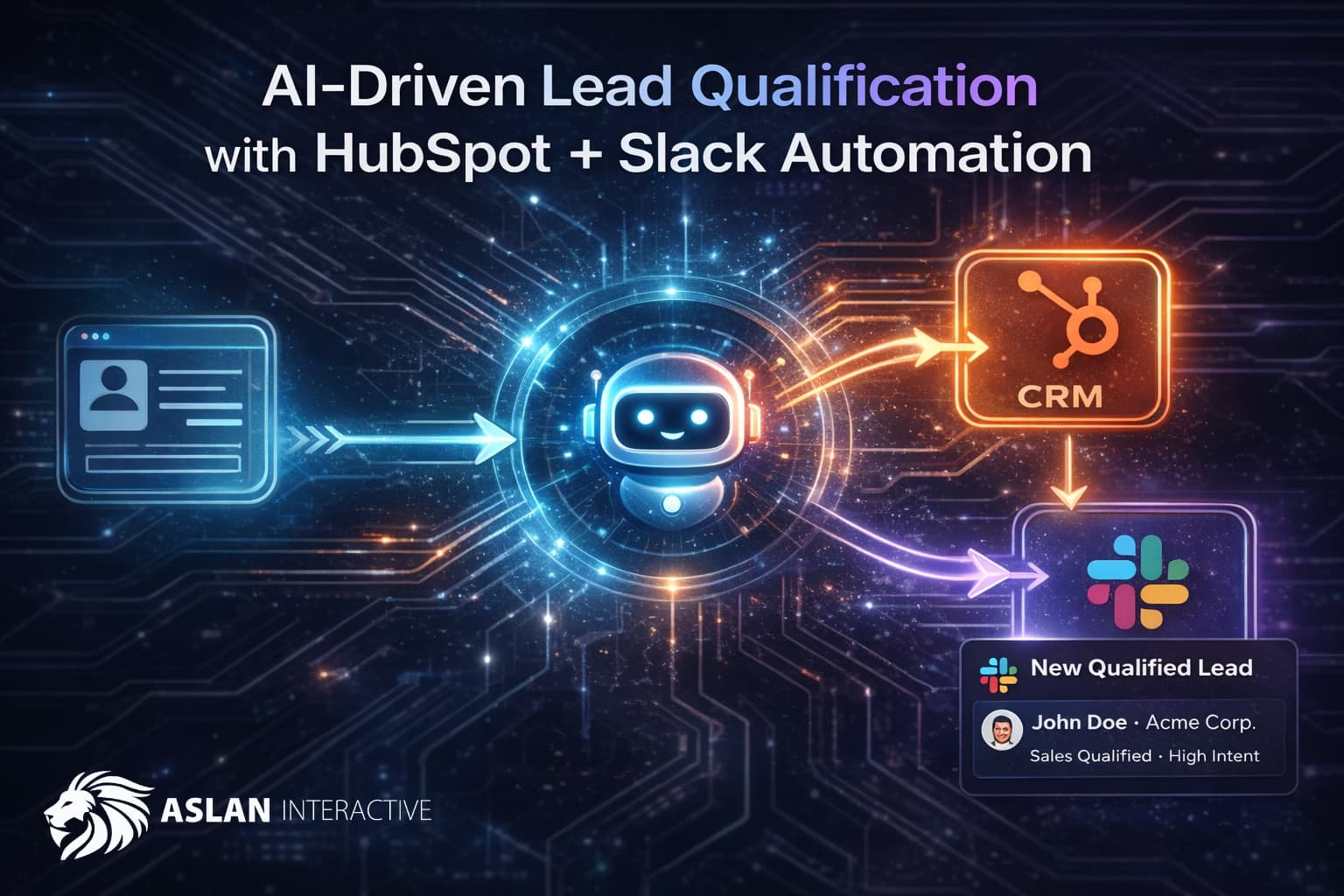
When visitors land on your website, you have a narrow window to engage them. Traditional contact forms feel impersonal. Live chat requires someone to be available 24/7. We built something different: an AI-powered lead qualification system that has a natural conversation with visitors, qualifies them intelligently, and routes the information where your team actually works.
The Problem We Solved
Most B2B websites face the same challenge: visitors browse, maybe download something, and leave. The ones who do fill out a contact form often provide minimal information. Sales teams waste time qualifying leads that aren't ready. Marketing can't tell which visitors are serious.
We needed a solution that:
- Engages visitors in a genuine conversation
- Gathers qualification data without feeling like an interrogation
- Gets leads into our CRM immediately
- Notifies the right people in real-time
- Works 24/7 without human intervention
How the AI Chat Works
When you visit our contact page, you'll see a chat interface. Behind it is GPT-4, but it's not just answering questions—it's conducting a qualification conversation.
The AI is trained to gather specific information naturally:
Essential Information:
- Name and email (required before any scheduling)
- Company and role
Qualification Details:
- What type of platform they're building (SaaS, e-commerce, marketplace)
- Their current challenges
- Timeline (immediate need vs. exploring options)
- Budget range
The conversation feels natural because the AI adapts to how visitors respond. Someone who volunteers a lot of information upfront gets a shorter conversation. Someone who's more reserved gets gentle prompts that don't feel pushy.
The HubSpot Integration
Every qualified lead flows directly into HubSpot CRM. Here's what happens:
-
Contact Creation: The system creates a new contact or updates an existing one (we check for duplicates by email)
-
Field Mapping: Standard fields populate automatically:
- First name, last name, email
- Phone number
- Company and job title
- Lead status set to "NEW"
- Lifecycle stage set to "Lead"
-
Conversation Notes: The full chat transcript and extracted qualification data get attached as a Note on the contact record. This gives sales context on exactly what the visitor discussed.
-
Duplicate Handling: If someone returns and chats again, we update their existing record rather than creating duplicates. The new conversation gets appended to their history.
The integration uses HubSpot's official API client, so it's reliable and respects rate limits. If HubSpot is temporarily unavailable, the Slack notification still goes through as a backup.
The Slack Integration
While HubSpot is our system of record, Slack is where our team actually works. Every qualified lead triggers an instant Slack notification.
The message includes:
- Contact information (formatted for quick scanning)
- Platform type and current challenge
- Timeline and budget indicators
- A summary of the conversation
- Timestamp for response tracking
We use Slack's Block Kit for rich formatting—headers, sections, and dividers that make the notification scannable. A chatbot lead looks different from a form submission, so the team knows the context immediately.
The webhook integration is simple but effective. We post to a dedicated channel, and team members can react, thread discussions, or claim leads right in Slack.
The Calendly Integration
The final piece of the puzzle is scheduling. When a visitor is ready to talk, we don't send them to a separate booking page—the entire scheduling experience happens right in the chat.
How It Works
The AI monitors the conversation for scheduling intent. When it detects the visitor is ready—either because they asked to schedule or because qualification is complete—it triggers the Calendly integration automatically.
What the visitor sees:
- Available time slots appear directly in the chat interface, grouped by date
- Times display in the visitor's local timezone (detected automatically)
- They select a slot with a single click
- A brief confirmation collects any final details
- The meeting is booked instantly
What happens behind the scenes:
- Our API queries Calendly for available slots over the next 7 days
- Slots are filtered and formatted for display
- When the visitor selects a time, we call Calendly's scheduling API
- The booking includes the visitor's name, email, and a summary of their challenge
- Zoom meeting details are generated automatically
- Lead data submits to HubSpot and Slack simultaneously
Why This Matters
Traditional booking flows lose people. Every extra click, every new page, every form field is an opportunity for the visitor to abandon. By embedding Calendly directly in the conversation:
- No context switching: The visitor never leaves the chat
- Pre-filled information: Name and email from the conversation auto-populate
- Immediate confirmation: They know the meeting is booked before closing the window
- Automatic follow-through: Lead data flows to your systems whether they book or not
The Fallback Option
Not everyone wants to schedule immediately. The chat offers two clear paths:
- "Schedule a Call" — Opens the in-chat Calendly experience
- "Just Send My Info" — Submits to HubSpot and Slack without booking
Either way, you capture the lead. The visitor chooses their comfort level.
Handling Edge Cases
Real-world scheduling has complications. We handle them:
- Slot no longer available: If someone else books the slot while the visitor is deciding, we show a friendly message and refresh the available times
- Invalid email: The system validates before attempting to book
- Calendly API issues: If scheduling fails, we fall back to submitting lead data and suggest the visitor book directly via a backup link
The goal is simple: never lose a lead to a technical problem.
Why This Architecture
We chose this specific stack for practical reasons:
GPT-4 for Conversation: It handles nuance, follows complex instructions, and produces responses that feel human. The temperature is set to 0.7—conversational but not random.
HubSpot for CRM: It's where sales lives. Leads need to be there, with full context, immediately.
Slack for Notifications: Email notifications get buried. Slack notifications get seen. Real-time alerts mean faster response times.
Calendly for Scheduling: Rather than building our own availability system, we leverage Calendly's robust API. It handles timezone conversion, calendar sync, conflict detection, and meeting creation. We focus on the integration, not reinventing scheduling infrastructure.
Parallel Submission: We submit to HubSpot and Slack simultaneously. If one fails, the other still succeeds. No single point of failure.
Data Privacy and Consent
Before any conversation starts, visitors see a consent screen. They know they're chatting with an AI. They know data will be collected. They can review our privacy policy. Only after explicit consent does the conversation begin.
This isn't just compliance—it's respect for visitors. People engage more openly when they know the rules upfront.
Results
Since implementing this system:
- Lead response time dropped from hours to minutes
- Qualification data completeness increased significantly
- Sales spends less time on unqualified leads
- Visitors who engage with the AI convert at a higher rate than form submissions
The AI doesn't replace human conversation—it enables it. By the time sales talks to a lead, they know the context, the challenges, and the timeline. The first call is productive, not exploratory.
Building Your Own
If you're considering a similar system, here's what matters:
-
Start with your qualification criteria. What do you actually need to know? Let that drive the AI's conversation goals.
-
Integrate where your team works. CRM data is useless if nobody sees it. Real-time notifications in actual workflow tools change behavior.
-
Handle failures gracefully. APIs go down. Have backups. Never lose a lead to a technical glitch.
-
Respect your visitors. Consent matters. Transparency builds trust. AI should enhance the experience, not trick people.
Want to see the lead qualifying system in action? Visit our contact page and start a conversation. Or if you prefer, use the traditional form—we give visitors the choice.
Written by
Paul Eident